How to create and design your loyalty card
Updated 7 November 2026 · 2 min read · By Diego, founder of Loyaltygo
In short
You create your free account with your email or with Google, design the card in the editor (the type, your logo, the color, the stamp and the reward) and try it on your phone. The editor saves every change on its own, with no save button. Then you download the poster with your QR code so your customers can add the card.
How do I sign up?
- 1Go to create an account and tap “Continue with Google”, or enter your business name, your email and a password of 8 characters or more, and tap “Create account”.
- 2If you used your email, you get a 6-digit code: enter it and tap “Confirm and create account”. It is valid for 15 minutes; if it doesn’t arrive, tap “Resend code”.
- 3With Google, it only asks for your business name and for you to accept the terms.
What can I change on the card?
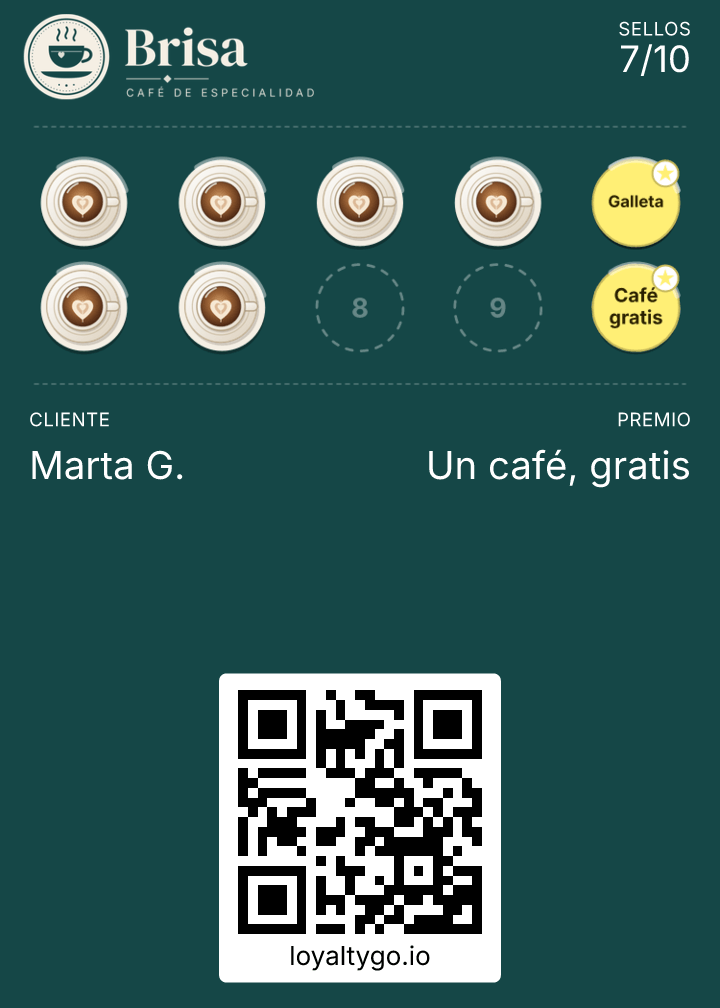
- The type: “Classic” (stamps), “Points” or “Challenges”.
- Your logo: any image up to 3 MB, with “Upload logo”.
- The background color, with a gradient if you like. It also suggests colors based on your logo.
- The stamp icon: one of the quick ones (coffee, pizza, scissors…), one you search for, or your own in SVG, PNG or WebP up to 512 KB.
- How many stamps: from 1 to 10, and up to 5 “Reward stamps” along the way.
- The reward, in 30 characters at most, for example “Free coffee”.
And then?
When you finish the design, “See my card on my phone” lets you add it to your Wallet to see it as your customers will. Your own card doesn’t count as one of your free plan customers.
From the dashboard, in “Design card”, you also have the card text, the back of the card and the automatic notifications. Once it’s ready, download the poster with your QR code.
Frequently asked questions
How much does it cost to create?
Nothing. The free plan covers up to 30 customers, with no end date and no credit card. All the plans are on the pricing page.
Can I change the design later?
Yes, whenever you like. To get it to the cards your customers already have, see how to change the card.